You track your watts.
Now track what fuels them.
WattsEaten logs the bananas, gels, and bottles you go through on a ride, crunches the numbers (net calories, carbs per hour, sodium), and posts a clean fuel summary straight into your Strava activity description. No spreadsheets, no guesswork - just tap what you ate and hit save.
WattsEaten is being tested with a small group right now. Interested in trying it? Reach out at wattseaten@gmail.com and we'll let you know when a spot opens up.
Getting set up takes about a minute
WattsEaten works on top of your existing Strava account - there's no separate account to create, no password to remember. Here's the whole flow:
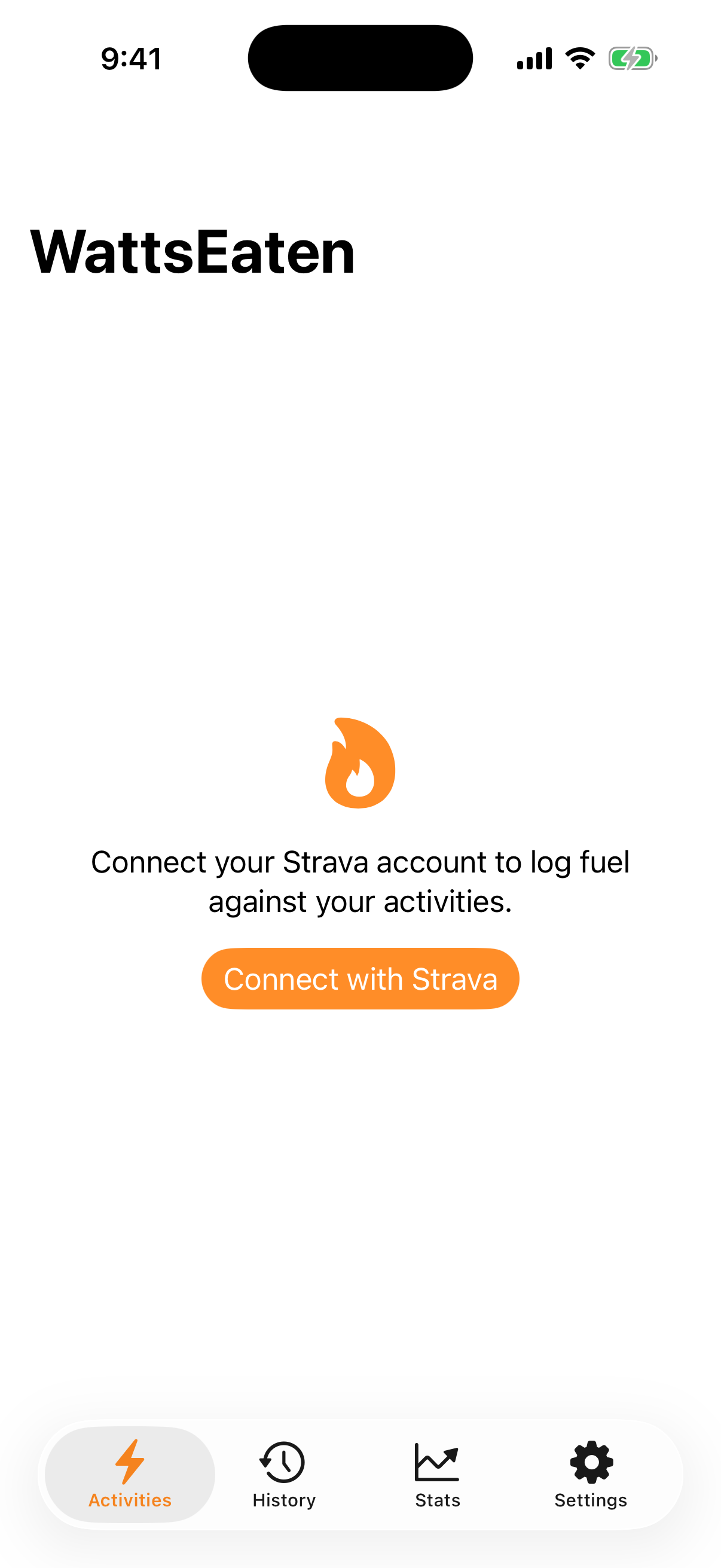
1. Tap "Connect with Strava"
Open the app and you'll see one button. Tap it, and Strava's own login page opens - you log in directly with Strava, so WattsEaten never sees or stores your password.
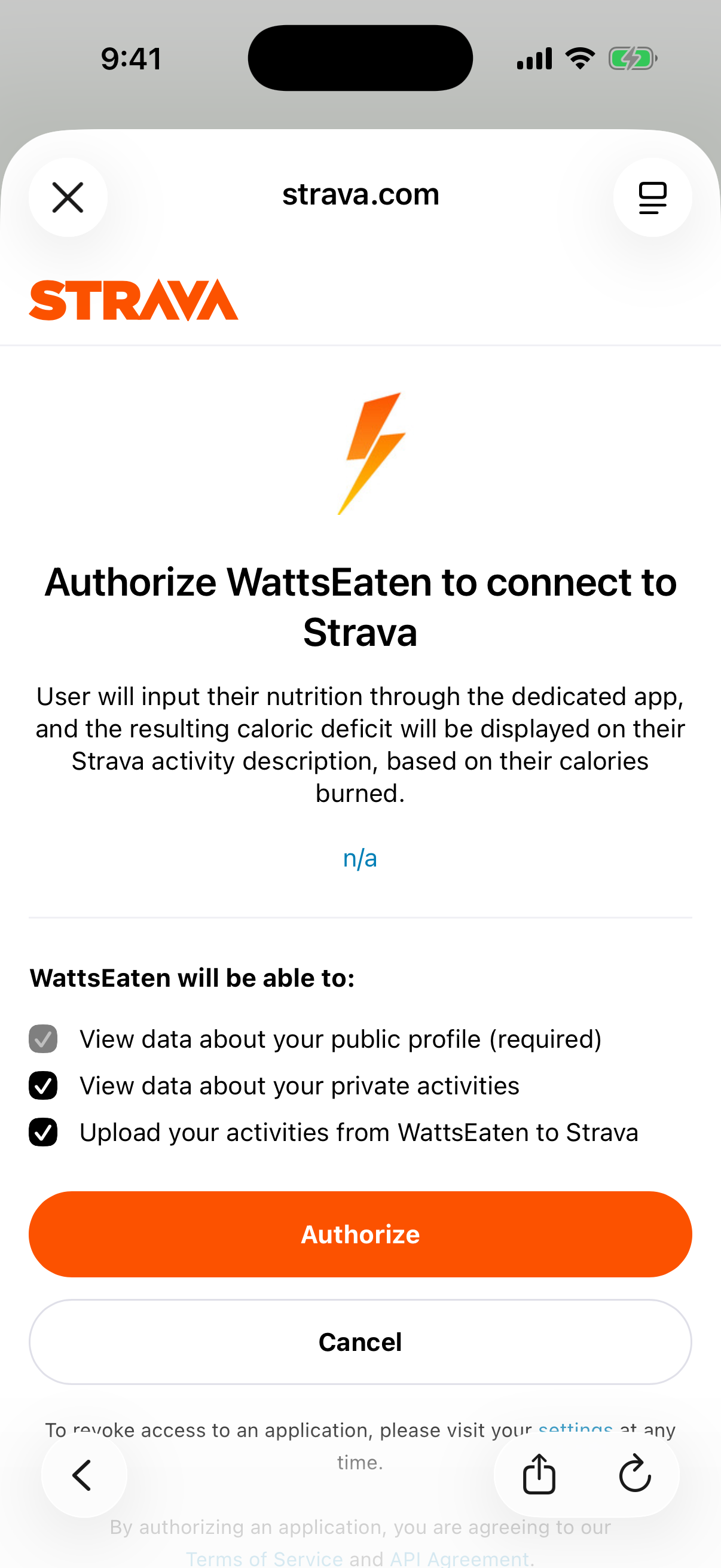
2. Approve access
Strava shows you exactly what WattsEaten is asking for: permission to view your activities and update their descriptions. Tap "Authorize" and you're bounced right back into the app.
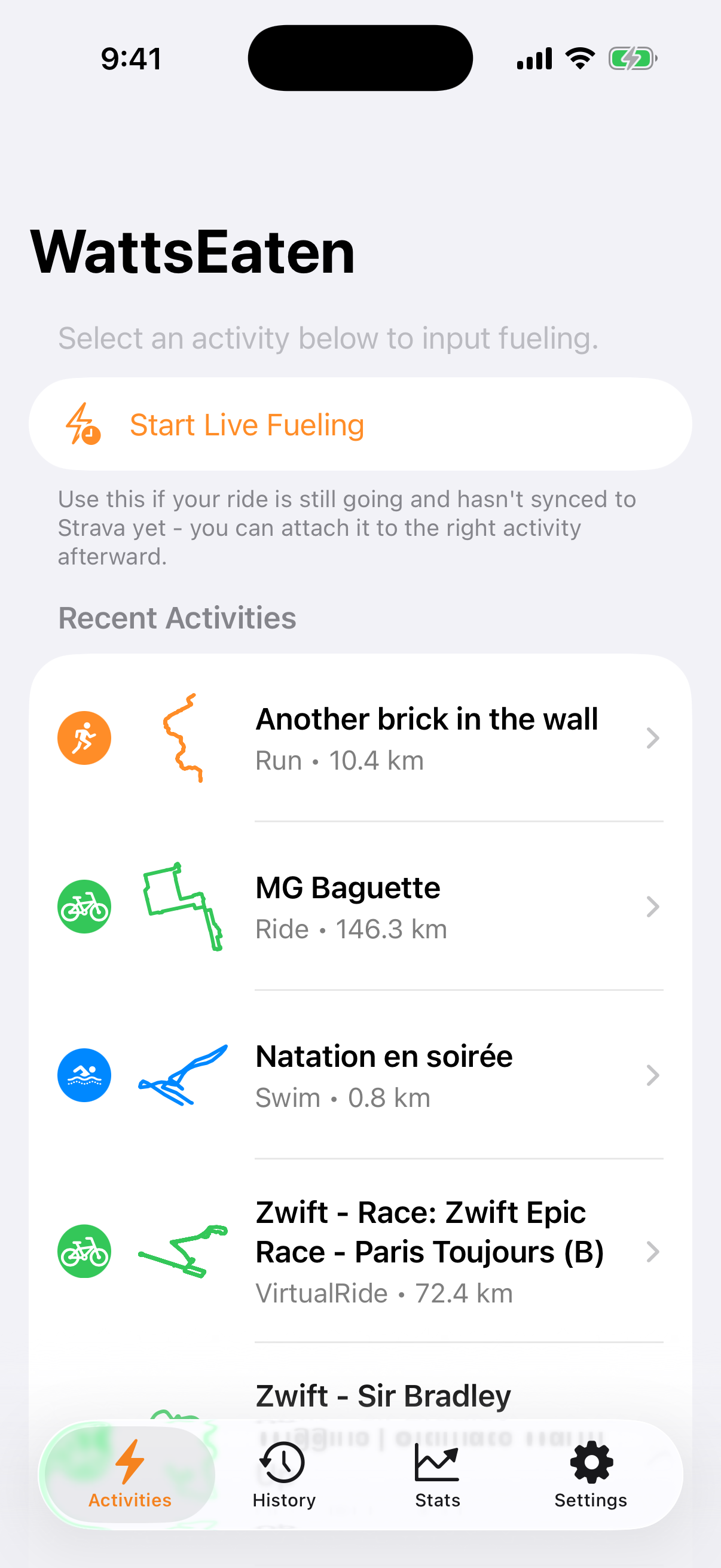
3. That's it - your rides appear
Your recent activities show up instantly, complete with little route thumbnails. Pick one, log what you ate, and you're off.
What it does
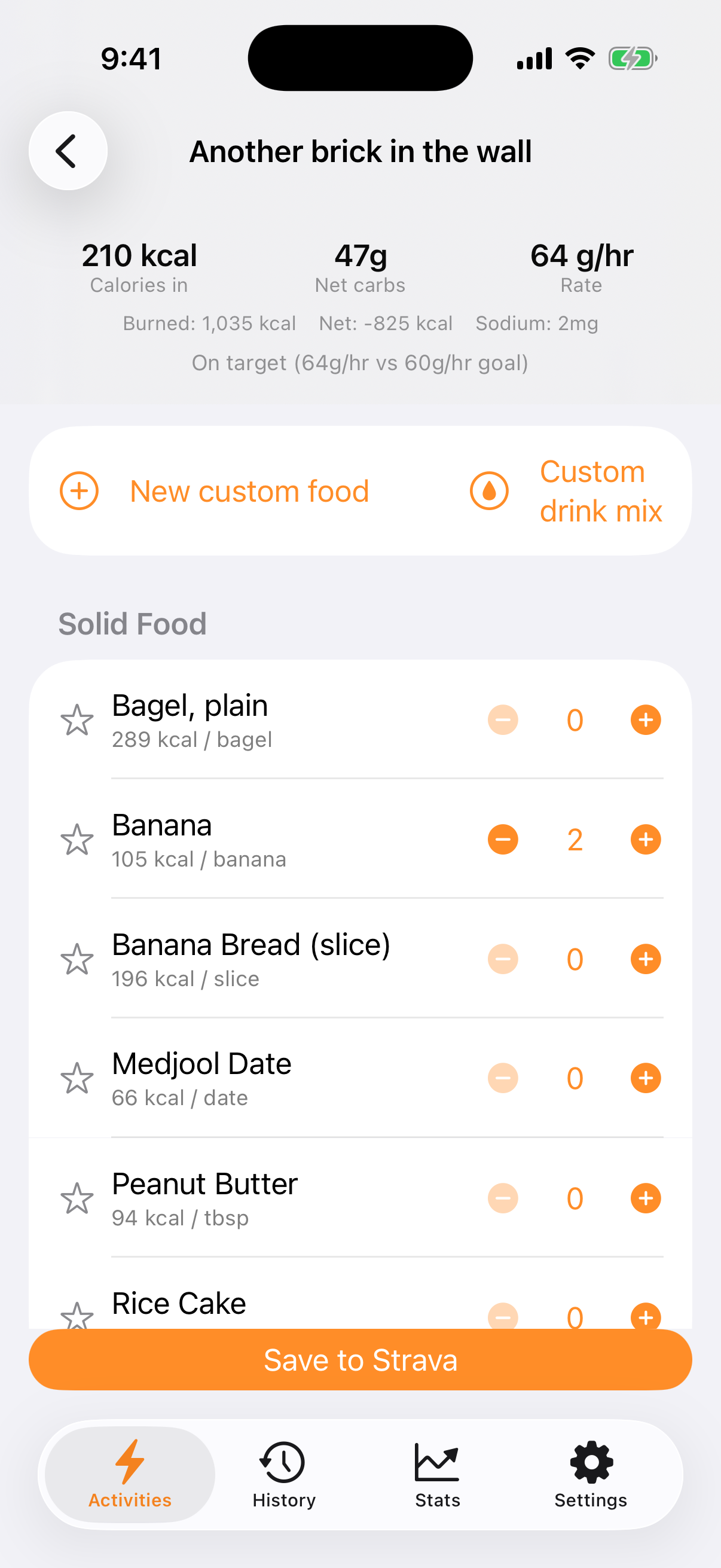
Log fuel in seconds
Foods, gels, and drinks are organized into quick-tap categories with sensible serving sizes - 25mL of maple syrup, half a bagel, one bottle of your own custom mix (yes, you can tell it exactly how many tablespoons of sugar you dumped in). Star your go-tos and they float to the top. Mid-ride? Start a live fueling session and attach it to the activity once it syncs.
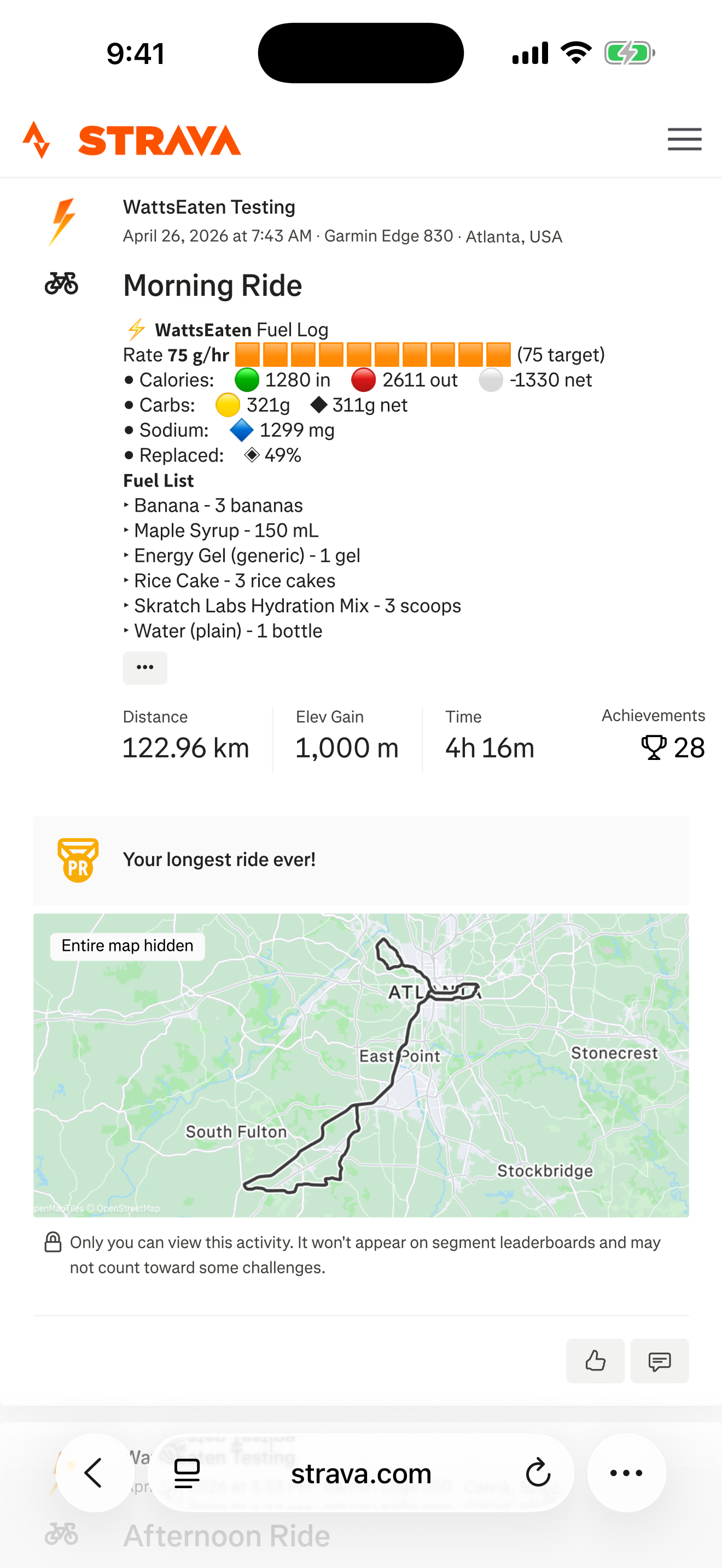
Posts a clean summary to Strava
One tap writes a tidy fuel report into your activity description - calories in vs. out, net carbs, carb intake rate per hour, sodium, and whether you hit your fueling goal. Your own description text stays untouched, always.
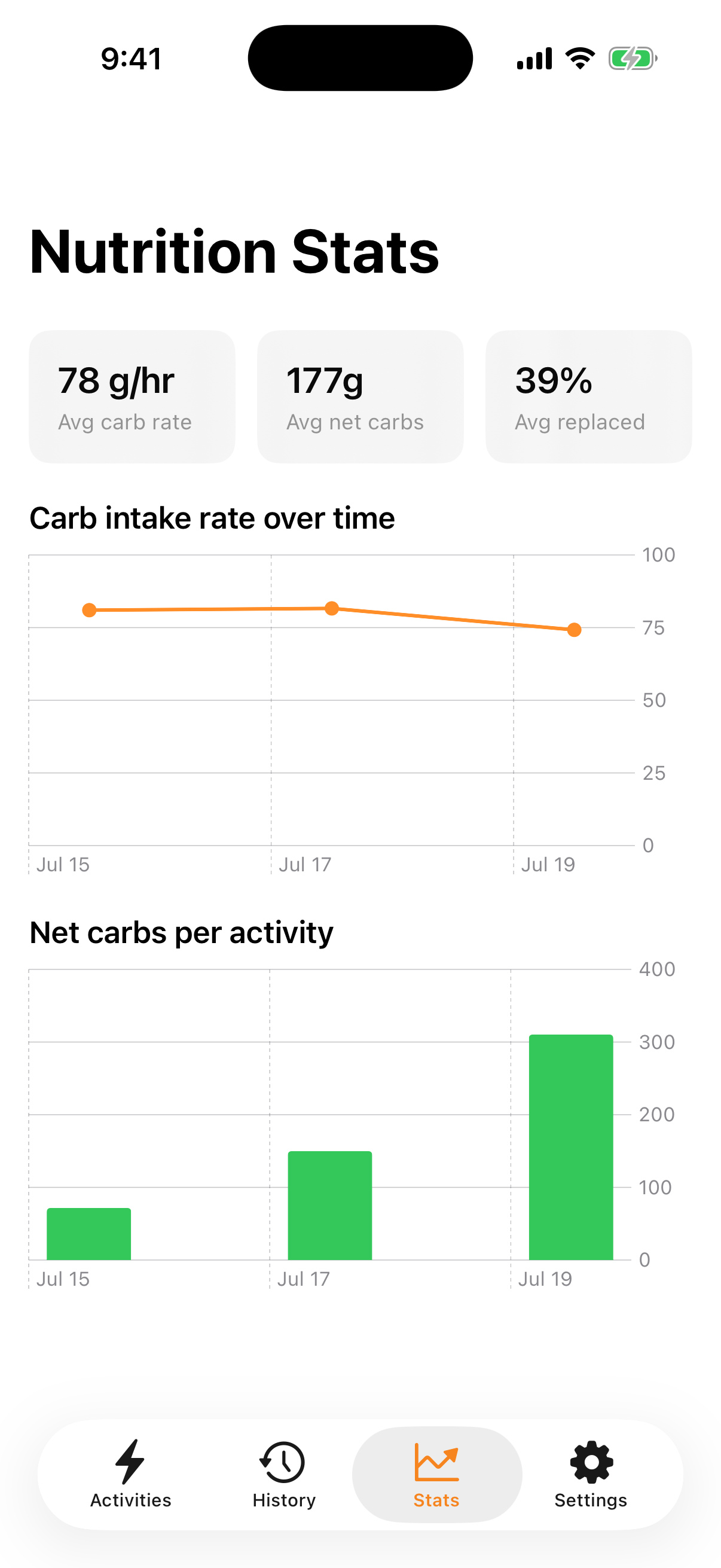
Learn your patterns
Every session is saved to your fueling history, with charts tracking your carb intake rate and totals over time - so you can actually see whether that "eat more on long rides" plan is happening. Synced to your account, so it's all there if you switch phones.
Questions?
Drop us a line at wattseaten@gmail.com